SHEET · REDHAT CONTROL PANEL SWORD · SEMI-AUTO TRADING PANEL FOR MT5 · REV B 2026-09

MT5 · Semi-Auto · XAUUSD
Redhat Control Panel Sword
Semi-auto trading tool for MT5 · You press the buttons to enter trades — Sword handles TP, SL, hedge, and grid for you · 38 buttons across 7 function groups and 10 indicators in one panel · Free
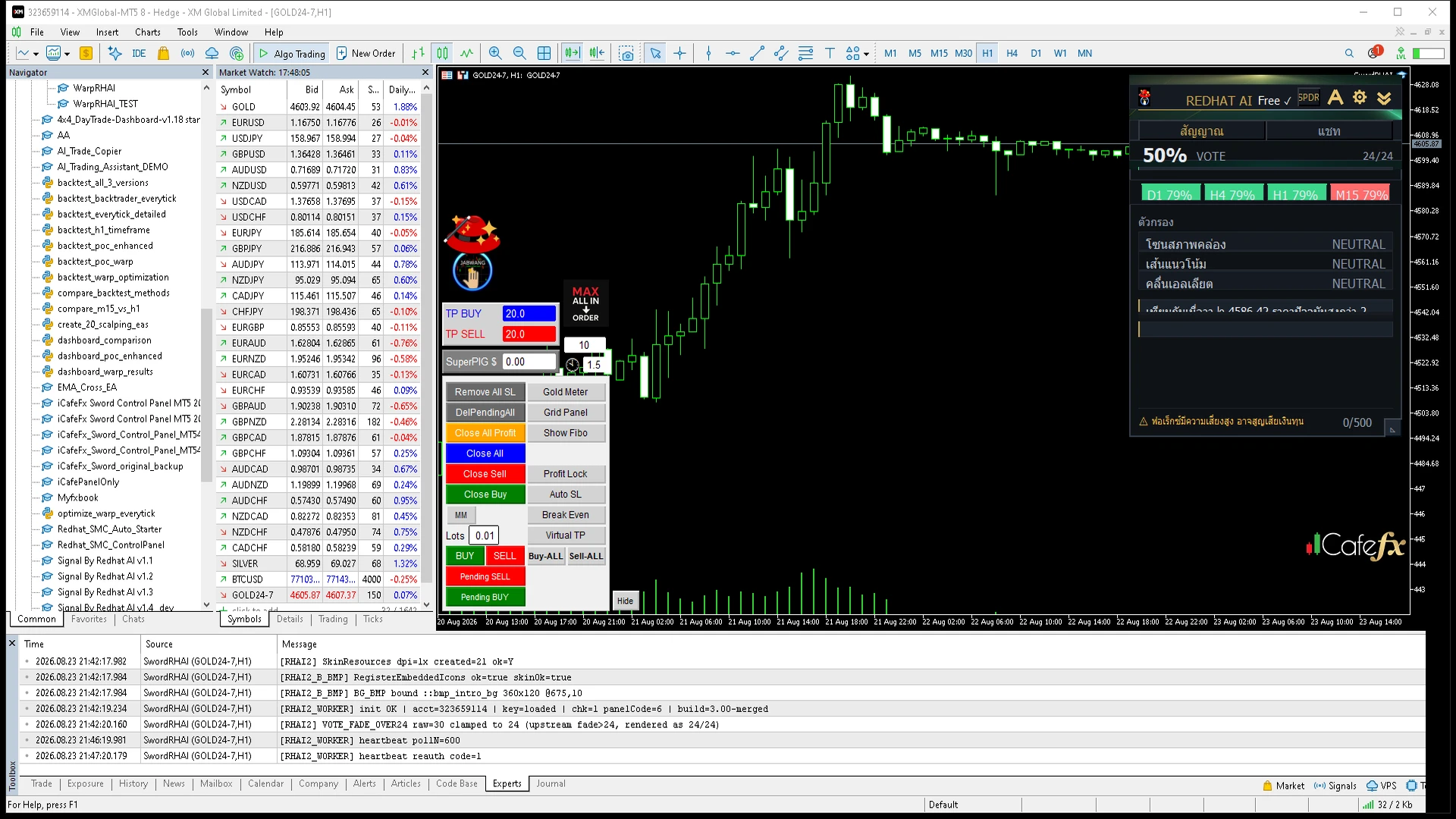
38command buttons that execute instantly on the chart without opening additional windows
7function groups covering entry, exit, risk, hedge, grid, and display
10indicators in one panel — read market conditions from a single view
Freedeveloped by the iCafeFX team · test on demo before using a live account
7 Function Groups
Real data from the official manual
Order Execution · 10 buttonsOpen all order types, both market and pending orders — no need to watch the screen throughout the session
Position Close · 7 buttonsClose positions quickly and reverse direction — one button manages the entire portfolio, ideal when the market shifts suddenly
Trade Mode · 2 buttonsAutoBuy and AutoSell let the EA send orders based on signals — still semi-auto, users must monitor their own portfolio
Risk Management · 6 buttonsAuto SL, Virtual TP, Break Even, Profit Lock, MM, Remove All SL — protect capital and lock in profits automatically
SL/TP System · 4 buttonsSet stop loss and take profit for all buy or sell orders simultaneously with one click, reducing human error
Hedge & Grid · 6 buttonsManage buy-sell pairs and place grids automatically — use to offset opposing positions and capture sideways market profits. Use only when ready and understand margin.
Display · display buttonsControl chart display to suit each trader's style
Sword is semi-auto: users press the buttons and make their own decisions — Sword only helps manage TP, SL, hedge, and grid. It is not a fully automated trading system. Always test on a demo account before live use.
Redhat Sword Manual · 14 Chapters · Free
Detailed Thai manual covering every button and group · by Bom iCafeFX